Navigating AnimalJam’s Parent Portal: A Definitive Breakdown
Table of Contents
- The Complete Overview of the AnimalJam Parent Portal
- Historical Background and Evolution
- Core Mechanisms: How It Works
- Key Benefits and Crucial Impact
- Major Advantages
- Comparative Analysis
- Future Trends and Innovations
- Conclusion
- Comprehensive FAQs
- Q: How do I access the AnimalJam parent portal for the first time?
- Q: Can I monitor my child’s activity without them knowing?
- Q: What happens if my child tries to bypass the time limits?
- Q: Does the portal track activity on mobile devices differently than computers?
- Q: Are there any costs associated with using the parent portal?
- Q: How often is the parent portal updated with new features?
- Q: Can I restrict my child from communicating with specific users?
- Q: What should I do if I suspect my child is sharing personal information in-game?
- Q: Does the portal support multiple children under one parent account?
- Q: How secure is the data collected by the parent portal?
The AnimalJam parent portal stands as a critical tool for families navigating the digital landscape of one of the world’s most popular kid-friendly gaming platforms. With over 100 million registered users, AnimalJam—developed by Club Penguin creator Disney—has become a hub for creativity, social interaction, and learning. Yet, behind its vibrant virtual world lies a necessity for oversight: ensuring children engage responsibly while minimizing risks like excessive screen time or exposure to unfamiliar interactions. The AnimalJam parent portal addresses these concerns head-on, offering granular controls that adapt to evolving parenting needs. Unlike generic parental monitoring tools, it integrates seamlessly with the platform, providing real-time insights into activity without disrupting the gaming experience.
What sets the AnimalJam parent portal apart is its dual role as both a safety net and an educational resource. Parents gain access to usage analytics, communication logs, and even in-game behavior reports—all while maintaining transparency about their child’s digital footprint. The portal’s design reflects a growing trend: balancing freedom with supervision in an era where children’s online activities often mirror real-world social dynamics. For tech-savvy families, it’s a gateway to understanding how their kids interact in virtual spaces; for those less familiar with digital platforms, it serves as a user-friendly bridge between concern and control.
Yet, despite its utility, the AnimalJam parent portal remains underutilized by many parents who assume the platform’s kid-friendly branding alone suffices for safety. The reality is more nuanced: while AnimalJam enforces strict content moderation, the portal’s features—such as customizable time limits and friend request approvals—are the linchpins of a proactive parenting strategy. Ignoring these tools leaves families vulnerable to unintended consequences, from prolonged gaming sessions to unchecked online friendships. The portal isn’t just a feature; it’s a partnership between parents and the platform to foster a healthier digital environment.
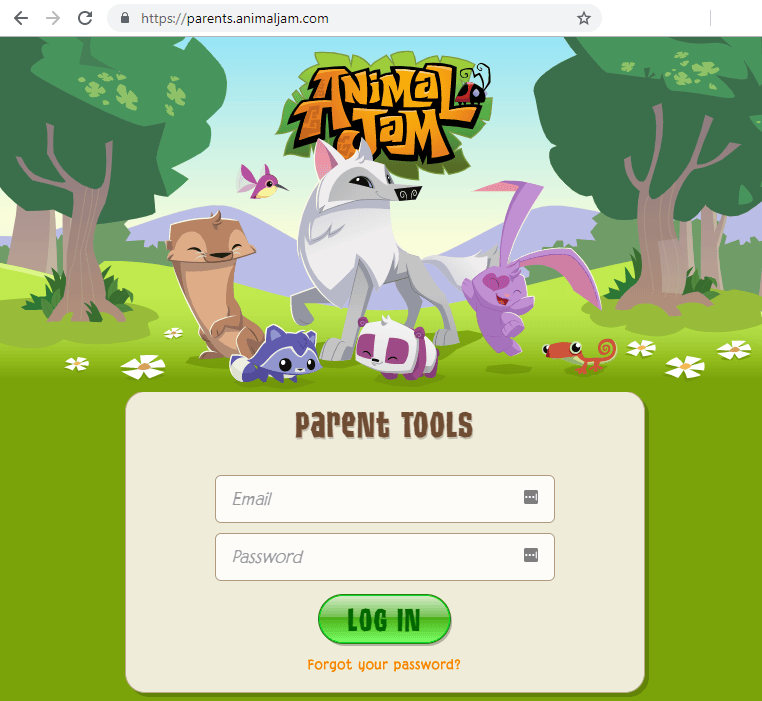
The Complete Overview of the AnimalJam Parent Portal
The AnimalJam parent portal is a centralized dashboard designed to give parents visibility and control over their child’s account activity. Unlike standalone parental control apps, it operates within AnimalJam’s ecosystem, syncing directly with account data to provide up-to-the-minute updates. This integration ensures that parents don’t need to juggle multiple platforms or rely on third-party tools that may miss context-specific details. For instance, while a generic screen-time tracker might log hours spent gaming, the portal can differentiate between creative play (e.g., designing avatars) and social interactions (e.g., chatting with peers), offering a more nuanced perspective on engagement.
Access to the portal is typically granted via an invitation code sent to the parent’s email during account registration or through the child’s profile settings. Once logged in, parents are greeted with a clean interface divided into key sections: Activity Overview, Communication Logs, Friend Management, and Settings. Each section is tailored to address specific concerns—whether it’s monitoring chat messages for inappropriate language or reviewing a list of pending friend requests before approval. The portal’s strength lies in its adaptability; parents can adjust settings based on their child’s age, maturity level, or even daily routines, ensuring the controls evolve alongside their needs.
Historical Background and Evolution
The origins of the AnimalJam parent portal trace back to the platform’s launch in 2012, a period when kid-focused online gaming was still navigating early challenges around safety and moderation. Initially, AnimalJam relied on community guidelines and automated filters to maintain a safe environment, but as the user base expanded, so did the demand for more robust parental oversight. By 2016, Disney introduced the portal as a response to feedback from parents and educators, who highlighted the need for transparency in children’s digital interactions. The portal’s first iteration was rudimentary—offering basic screen-time limits and chat message previews—but it laid the foundation for what would become a more sophisticated tool.
Over the years, the AnimalJam parent portal has undergone significant refinements, particularly in response to broader industry shifts toward digital literacy and responsible gaming. In 2020, Disney updated the portal to include AI-driven content analysis, allowing it to flag potentially harmful conversations or external links shared in-game. Additionally, the platform introduced multi-device tracking, enabling parents to monitor activity across tablets, phones, and computers from a single dashboard. These updates reflect a broader trend in the gaming industry: recognizing that parental controls must keep pace with the same technological advancements that drive children’s engagement. Today, the portal serves as a case study in how platforms can balance monetization with safety, proving that commercial success and child welfare need not be mutually exclusive.
Core Mechanisms: How It Works
At its core, the AnimalJam parent portal functions through a combination of real-time data collection and user-defined policies. When a child logs into their AnimalJam account, the platform silently records activity—such as time spent in-game, items purchased, and chat interactions—without interrupting gameplay. This data is then encrypted and stored securely, accessible only to the parent via their portal login. The system uses a tiered approach to monitoring: younger children (typically under 13) have stricter default settings, while older users may enjoy more flexibility, provided the parent approves. For example, a 10-year-old might have automatic chat restrictions, whereas a 15-year-old could request access to voice chat after parental review.
The portal’s effectiveness hinges on its ability to translate raw data into actionable insights. Parents can set daily time limits, which trigger alerts when exceeded, or enable "focus modes" to block in-game purchases during school hours. Communication logs provide verbatim transcripts of chats, complete with timestamps, allowing parents to review conversations without reading over their child’s shoulder. The portal also integrates with AnimalJam’s reporting system, enabling parents to flag suspicious activity—such as repeated attempts to bypass restrictions—directly to Disney’s moderation team. This seamless feedback loop ensures that concerns are addressed promptly, reducing the likelihood of missed issues.
Key Benefits and Crucial Impact
The AnimalJam parent portal isn’t just a tool for limiting screen time; it’s a comprehensive framework for fostering digital responsibility. By providing parents with visibility into their child’s online behavior, it transforms passive monitoring into an active dialogue about safe internet use. Studies on digital parenting suggest that children whose activities are openly discussed with parents are less likely to encounter risks like cyberbullying or exposure to inappropriate content. The portal’s design reinforces this principle by making oversight feel collaborative rather than intrusive. For instance, the "Activity Report" feature doesn’t just show hours spent gaming—it categorizes time by activity type, helping parents identify patterns (e.g., excessive time in the virtual "pet hospital" game) and discuss them with their child.
Beyond safety, the AnimalJam parent portal plays a role in shaping children’s digital habits. When parents use the portal to set and enforce boundaries, they model responsible behavior, teaching children that online activities—like offline ones—require balance. The portal’s ability to track in-game purchases also mitigates the risk of unintended spending, a common concern for families navigating microtransactions. By giving parents control over virtual economies (e.g., disabling coin purchases), it aligns with broader financial literacy goals, preparing children for real-world decision-making.
"The AnimalJam parent portal is more than a set of controls—it’s a conversation starter. When parents take the time to review their child’s activity, they’re not just policing; they’re engaging in a discussion about trust, boundaries, and digital citizenship."
— Dr. Elena Martinez, Child Psychologist and Digital Literacy Expert
Major Advantages
- Real-Time Oversight: Parents receive instant notifications for account logins, friend requests, and chat messages, allowing them to intervene before issues escalate.
- Customizable Controls: Settings can be adjusted for individual children, accommodating varying maturity levels and family rules (e.g., stricter limits on weekends).
- Educational Insights: Activity reports break down gaming behavior into categories (creative, social, competitive), helping parents identify interests and potential concerns.
- Purchase Protection: The portal can disable in-game purchases entirely or set spending caps, preventing accidental or unauthorized transactions.
- Multi-Device Sync: Activity is tracked across all devices linked to the account, ensuring no "loopholes" for unmonitored play.
Comparative Analysis
| Feature | AnimalJam Parent Portal | Third-Party Parental Controls (e.g., Qustodio, Bark) |
|---|---|---|
| Platform Integration | Native to AnimalJam; no third-party apps required. | Requires installation on devices; may miss platform-specific risks. |
| Chat Monitoring | Full transcripts with timestamps; flags suspicious language. | Keyword-based filtering; may miss context (e.g., coded language). |
| Purchase Controls | Granular settings for in-game currency and items. | Limited to app store/purchase blocking; no in-game transaction tracking. |
| Ease of Use | Intuitive dashboard with minimal setup; no technical expertise needed. | Steep learning curve; requires configuration per device. |

Future Trends and Innovations
The AnimalJam parent portal is poised to evolve alongside advancements in AI and behavioral analytics. One potential innovation is the integration of predictive alerts—using machine learning to identify patterns that may precede risky behavior (e.g., sudden increases in chat activity with unknown users). Disney could also expand the portal’s educational component, offering parents resources like guided discussions or age-appropriate tips for addressing issues that arise (e.g., how to handle cyberbullying). As virtual worlds like AnimalJam incorporate more social features, such as voice chat or collaborative projects, the portal may introduce tools to monitor these interactions in real time, further blurring the line between gaming and social networking.
Another trend to watch is the portal’s potential role in promoting digital wellness. Beyond safety, future iterations might include features like "focus challenges" (e.g., encouraging breaks between gaming sessions) or integration with smart home devices to sync screen-time limits with household routines. The portal could also become a hub for family activities, allowing parents to share curated in-game experiences (e.g., virtual family events) while maintaining oversight. As gaming platforms increasingly prioritize child development, the AnimalJam parent portal may serve as a blueprint for how other brands can merge entertainment with responsible parenting.
Conclusion
The AnimalJam parent portal exemplifies how digital platforms can meet parents halfway, offering tools that respect children’s autonomy while addressing legitimate concerns. Its success lies not in restriction alone, but in fostering an environment where gaming is both enjoyable and safe. For parents, the portal is an investment in their child’s digital future—one that requires time to set up but pays dividends in peace of mind. For AnimalJam, it’s a commitment to its core audience: proving that a child-friendly space can thrive without compromising on safety or innovation.
As children continue to shape the digital landscape, the AnimalJam parent portal remains a vital resource for families navigating this terrain. Its continued refinement will be key to staying ahead of emerging challenges, ensuring that the next generation of gamers grows up with the skills—and boundaries—to thrive online.
Comprehensive FAQs
Q: How do I access the AnimalJam parent portal for the first time?
A: Access begins during your child’s account registration. When creating an account, you’ll receive an email with a parent portal invitation code. Click the link, follow the prompts to set up your login credentials, and you’ll gain immediate access to the dashboard. If you missed this step, contact AnimalJam support via the "Help" section in-game or their official website for a new code.
Q: Can I monitor my child’s activity without them knowing?
A: The AnimalJam parent portal is designed to be transparent. While you can review activity logs and set restrictions without direct notification, AnimalJam’s terms of service require that parents inform their children about monitoring. The portal includes tools to facilitate these conversations, such as pre-written scripts for discussing screen time or online safety.
Q: What happens if my child tries to bypass the time limits?
A: The portal includes safeguards to prevent circumvention. If your child attempts to log in after their time limit expires, they’ll receive an automated message explaining the restriction. Repeated attempts may trigger a temporary lockout, and parents can enable "hard limits" to disable the account entirely after violations. For persistent issues, AnimalJam’s moderation team can intervene upon request.
Q: Does the portal track activity on mobile devices differently than computers?
A: No—the AnimalJam parent portal syncs activity across all linked devices (computers, tablets, phones) under the same account. You’ll see a unified log of time spent, chats, and purchases regardless of the device used. However, some mobile-specific features (e.g., push notifications for alerts) may vary slightly by platform.
Q: Are there any costs associated with using the parent portal?
A: The AnimalJam parent portal is completely free to use. There are no subscription fees or hidden charges for accessing its features. However, AnimalJam’s premium membership (e.g., "AnimalJam Plus") may offer additional parental controls or perks, but these are optional and not required for basic portal functionality.
Q: How often is the parent portal updated with new features?
A: Disney regularly updates the portal based on user feedback and industry trends. Major updates (e.g., new monitoring tools or reporting features) typically occur annually, while minor improvements (e.g., UI tweaks) may roll out quarterly. To stay informed, check AnimalJam’s official blog or follow their social media channels for announcements.
Q: Can I restrict my child from communicating with specific users?
A: Yes. The portal allows you to block individual users by name or username. Navigate to the "Friend Management" section, locate the user in question, and select "Block." This action will prevent your child from sending or receiving messages from that user, though the blocked user may still appear in public areas of the game (e.g., chat rooms) unless you enable stricter privacy settings.
Q: What should I do if I suspect my child is sharing personal information in-game?
A: If you encounter concerning behavior (e.g., sharing location, school name, or phone number), use the portal’s "Report Concern" feature to flag the activity to AnimalJam’s moderation team. They will review the chat logs and take appropriate action, which may include warning the offending user or temporarily restricting your child’s account. Additionally, initiate a conversation with your child about online privacy and the risks of oversharing.
Q: Does the portal support multiple children under one parent account?
A: Currently, the AnimalJam parent portal is designed for individual child accounts. Each child requires their own portal login, and parents cannot manage multiple children from a single dashboard. However, you can use the same email address for all portal accounts to streamline access. For families with multiple AnimalJam users, consider creating separate parent portals for each child.
Q: How secure is the data collected by the parent portal?
A: AnimalJam prioritizes data security, employing encryption protocols to protect all activity logs and personal information stored in the portal. Access is restricted to authorized parents via secure login credentials, and Disney complies with global privacy regulations (e.g., COPPA for users under 13). For additional security, enable two-factor authentication in your portal settings.
Leave a Comment
Comments are moderated before appearing. The data you submit is processed according to the Privacy Policy of versiliasolutions.oneagency.co.