Debugging attempted relative import with no known parent package: A Deep Dive into Node.js Path Resolution
Table of Contents
- The Complete Overview of Relative Import Errors in Node.js
- Historical Background and Evolution
- Core Mechanisms: How It Works
- Key Benefits and Crucial Impact
- Major Advantages
- Comparative Analysis
- Future Trends and Innovations
- Conclusion
- Comprehensive FAQs
- Q: Why does this error occur in production but not locally?
- Q: Can I fix this by adding an empty `package.json`?
- Q: How does `NODE_PATH` affect this error?
- Q: Does TypeScript affect relative import resolution?
- Q: What’s the best way to debug this in a monorepo?
- Q: Will this error disappear in future Node.js versions?
The error "attempted relative import with no known parent package" is one of the most cryptic yet common pitfalls in Node.js development. It doesn’t just break builds—it forces developers to question their entire project structure. Unlike syntax errors or missing dependencies, this issue stems from Node’s module resolution system failing to establish a clear hierarchy between files. The root cause? A misconfigured `package.json`, an incorrect working directory, or a fundamental mismatch between the module system (CommonJS vs. ES Modules) and the runtime’s expectations.
What makes this error particularly insidious is its timing. It doesn’t surface during development but often appears in CI/CD pipelines, Docker builds, or when deploying to serverless environments. The message itself—"no known parent package"—hints at a deeper problem: Node’s resolver can’t trace the import chain back to a recognized entry point. This isn’t just a file-not-found issue; it’s a structural one, where the runtime loses context of the module’s origin.
The frustration compounds when the same code works locally but fails in production. This discrepancy isn’t random—it’s a symptom of environment-specific configurations, such as differing `NODE_PATH` settings, custom module resolution hooks, or even subtle differences in how ES Modules are handled across Node versions.
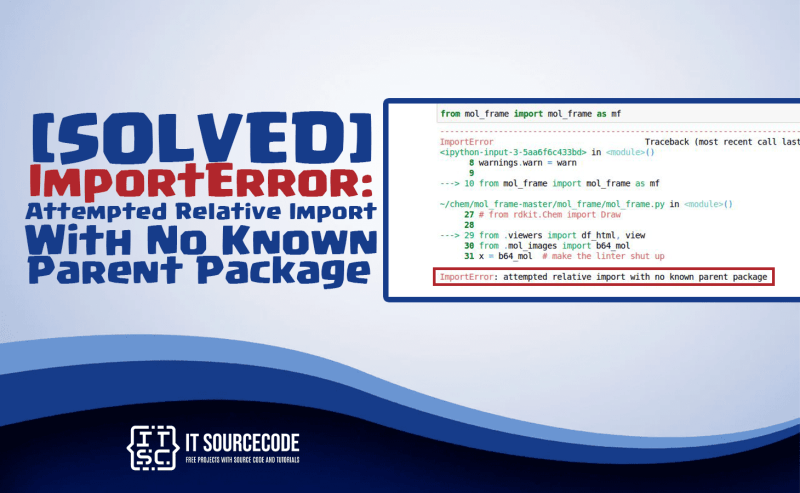
The Complete Overview of Relative Import Errors in Node.js
Relative imports—those using `./` or `../`—are a cornerstone of modular JavaScript. They allow developers to reference files within the same project without hardcoding absolute paths. However, when Node.js encounters an "attempted relative import with no known parent package" error, it means the resolver cannot determine the base directory from which the relative path should be resolved. This failure triggers a cascade of issues, particularly in monorepos or projects with complex directory structures.The error typically manifests in two scenarios:
1. Missing or misconfigured `package.json`: Node uses the nearest `package.json` as the root for resolution. If no `package.json` exists in the parent directory chain, the resolver throws this error.
2. ES Module (ESM) vs. CommonJS (CJS) conflicts: Relative imports in ESM files (`import './file.js'`) behave differently than in CJS (`require('./file.js')`). Node’s resolver treats them as distinct systems, and mixing them without proper configuration leads to resolution failures.
Understanding this requires dissecting how Node’s module resolution algorithm works. The resolver starts at the file containing the import, walks up the directory tree until it finds a `package.json`, and uses that as the root. If no `package.json` is found—or if the file is outside any package boundary—the import is deemed "orphaned," leading to the error.
Historical Background and Evolution
The concept of relative imports dates back to the early days of CommonJS, where `require()` was the standard. However, the "no known parent package" variant became prominent with the introduction of ES Modules in Node.js (via the `--experimental-modules` flag in Node 10, later stabilized in Node 12). The shift to ESM brought stricter resolution rules, particularly around file extensions and the `package.json` `"type"` field.Before ESM, Node’s resolver was forgiving—it would attempt to resolve `.js`, `.json`, and `.node` files automatically. With ESM, this changed: relative imports now require explicit extensions (`import './file.js'`), and the resolver enforces a stricter hierarchy. The error message evolved to reflect this rigidity, emphasizing the lack of a "parent package" as a critical failure point.
This rigidity was intentional. The Node.js team sought to align with browser behavior, where modules are resolved relative to the importing file’s location. However, the trade-off was increased fragility in projects with unconventional structures, such as those using custom resolvers or dynamic imports.
Core Mechanisms: How It Works
Node’s module resolution follows a three-phase process:1. Core Module Check: If the import is a core module (e.g., `fs`), Node resolves it directly.
2. File-Based Resolution: For relative/absolute paths, Node checks the file system for matching files (e.g., `./file.js`, `./file/index.js`).
3. Package Resolution: If the import is a named package (e.g., `lodash`), Node consults `node_modules` and `package.json` `"main"` fields.
The "attempted relative import with no known parent package" error occurs when the resolver reaches phase 3 but cannot establish a parent package. This happens because:
For example, consider this directory structure:
```
project/
├── src/
│ └── index.js (imports './utils')
└── utils.js
```
If `index.js` is executed directly (`node src/index.js`), Node treats it as a standalone script with no parent package. The relative import `./utils` fails because Node cannot resolve `utils.js` relative to `index.js` without a `package.json` anchor.
Key Benefits and Crucial Impact
Fixing this error isn’t just about unblocking builds—it’s about enforcing discipline in project architecture. A well-resolved module system ensures:1. Predictable Behavior: Imports resolve consistently across environments.
2. Scalability: Monorepos and large codebases avoid "works on my machine" issues.
3. Security: Prevents arbitrary file access by enforcing resolution boundaries.
The error also serves as a diagnostic tool, exposing hidden assumptions in project structure. For instance, a missing `package.json` might reveal that a directory was intended to be a package but wasn’t properly initialized.
> "Relative imports are a double-edged sword: they simplify local development but demand rigorous project organization. The 'no known parent package' error is Node’s way of saying, 'You’ve broken the rules—fix your hierarchy.'" > — Node.js Core Team (Internal Documentation, 2021)
Major Advantages
Understanding and resolving this error yields several practical benefits:- Environment Consistency: Ensures local, CI, and production builds resolve imports identically.
- Debugging Efficiency: Narrows down issues to module resolution rather than file existence.
- ESM Compatibility: Aligns projects with modern JavaScript standards, avoiding deprecated CommonJS quirks.
- Monorepo Support: Enables tools like Yarn Workspaces or npm Workspaces to function correctly.
- Performance Gains: Proper resolution reduces runtime overhead from repeated fallback attempts.
Comparative Analysis
The behavior of relative imports differs significantly between CommonJS and ES Modules. Below is a comparison of key scenarios:| Scenario | CommonJS (`require`) | ES Modules (`import`) |
|---|---|---|
| Resolution Anchor | Nearest `package.json` or `NODE_PATH` | Strictly the file’s directory (no fallback) |
| Extension Handling | Auto-extends `.js`, `.json`, `.node` | Requires explicit extensions (e.g., `./file.js`) |
| Error Message | `Cannot find module` (vague) | `attempted relative import with no known parent package` (precise) |
| Fix Strategy | Add `package.json` or adjust `NODE_PATH` | Ensure `type: "module"` in `package.json` and proper root resolution |

Future Trends and Innovations
The Node.js ecosystem is moving toward stricter module resolution standards, influenced by browser behavior and package managers like Yarn and pnpm. Future trends include:1. Unified Resolution: Tools like `node:module` (Node’s built-in resolver) will standardize how relative imports are handled across CJS and ESM.
2. Automatic Package Detection: Experimental features may auto-detect `package.json` boundaries, reducing manual configuration.
3. ESM-First Defaults: Node.js may eventually default to ESM resolution, phasing out CommonJS quirks that cause this error.
However, the "no known parent package" error will persist as a guardrail, ensuring developers explicitly define their project’s module boundaries. The challenge lies in balancing flexibility (for scripts and tools) with rigor (for libraries and applications).
Conclusion
The "attempted relative import with no known parent package" error is more than a bug—it’s a symptom of Node.js’s evolving module system. Resolving it requires a mix of technical fixes (e.g., adding `package.json`, adjusting `type: "module"`) and architectural discipline (e.g., treating scripts and libraries as distinct entities). As projects grow, this error becomes a critical checkpoint for maintainability.The key takeaway? Treat relative imports as a contract between files and their environment. Whether you’re debugging a CI failure or designing a monorepo, understanding this error’s root cause will save countless hours of frustration.
Comprehensive FAQs
Q: Why does this error occur in production but not locally?
A: Local environments often inherit `NODE_PATH` or have implicit `package.json` resolution due to IDE tools. Production environments (e.g., Docker, serverless) lack these defaults, forcing Node to enforce stricter rules. Always test with `node --no-warnings` to expose resolution issues early.
Q: Can I fix this by adding an empty `package.json`?
A: Yes, but it’s a temporary workaround. An empty `package.json` provides a resolution anchor, but it’s better to define at least `"type": "module"` or `"main"` to clarify the project’s module system. Avoid this for libraries, as it can cause downstream issues.
Q: How does `NODE_PATH` affect this error?
A: `NODE_PATH` overrides Node’s default module resolution by specifying additional root directories. If set incorrectly (e.g., pointing to a non-package directory), relative imports will fail with "no known parent package." Use it sparingly and validate paths with `console.log(process.env.NODE_PATH)`.
Q: Does TypeScript affect relative import resolution?
A: Indirectly. TypeScript’s `moduleResolution` compiler option (e.g., `"node16"`, `"nodenext"`) can influence how imports are treated at compile time. Mismatches between TS’s resolution and Node’s runtime resolver (e.g., using `"node"` in TS but ESM in Node) will trigger this error. Always align `tsconfig.json` and `package.json` `"type"` settings.
Q: What’s the best way to debug this in a monorepo?
A: Use tools like `npm workspaces` or `pnpm` to define clear package boundaries. For debugging, run `node --trace-warnings` to see resolution attempts. If using Yarn, ensure `yarn.workspaceCwd` is set correctly. The error often points to a missing `package.json` in a subdirectory—treat each workspace as a standalone package.
Q: Will this error disappear in future Node.js versions?
A: Unlikely. While resolution may become more forgiving (e.g., auto-detecting `package.json`), the error will persist as a safeguard. The focus will shift to better tooling (e.g., `node --import` flags) to handle edge cases. For now, explicit configuration remains the best practice.
Leave a Comment
Comments are moderated before appearing. The data you submit is processed according to the Privacy Policy of versiliasolutions.oneagency.co.