The Definitive Guide to Finding the Best Office All-in-One Computer in 2024
Table of Contents
- The Complete Overview of the Best Office All-in-One Computer
- Historical Background and Evolution
- Core Mechanisms: How It Works
- Key Benefits and Crucial Impact
- Major Advantages
- Comparative Analysis
- Future Trends and Innovations
- Conclusion
- Comprehensive FAQs
- Q: Can the best office all-in-one computer replace a traditional desktop for heavy workloads like video editing?
- Q: Are touchscreen all-in-one computers worth the investment for non-design roles?
- Q: How do I ensure my all-in-one computer meets enterprise security standards?
- Q: Can I upgrade the storage or RAM in an all-in-one computer after purchase?
- Q: What’s the best all-in-one computer for small businesses on a tight budget?
- Q: How does an all-in-one computer handle multiple monitors?
The demand for seamless, high-performance computing in professional settings has never been more urgent. An office all-in-one computer—where processing power meets intuitive design—has become the cornerstone of modern workspaces. These devices eliminate clutter, reduce latency, and integrate advanced features that traditional desktops simply can’t match. Whether managing spreadsheets, collaborating on presentations, or running specialized software, the right all-in-one system can redefine productivity.
Yet not all all-in-one computers are created equal. The best office all-in-one computer balances raw capability with practicality, offering touchscreen responsiveness, robust security, and scalable performance. From compact models ideal for small businesses to high-end workstations for creative professionals, the market now provides solutions tailored to every need. The challenge lies in identifying which features matter most—whether it’s a 4K display for designers, a quiet cooling system for open-plan offices, or enterprise-grade security for sensitive data.
Selecting the wrong device can lead to frustration: sluggish performance during critical tasks, compatibility issues with existing software, or even hardware failures under pressure. The stakes are high, but the rewards—streamlined operations, reduced downtime, and a competitive edge—are well worth the investment. This guide cuts through the noise to deliver actionable insights on what makes an all-in-one computer truly indispensable in an office environment.
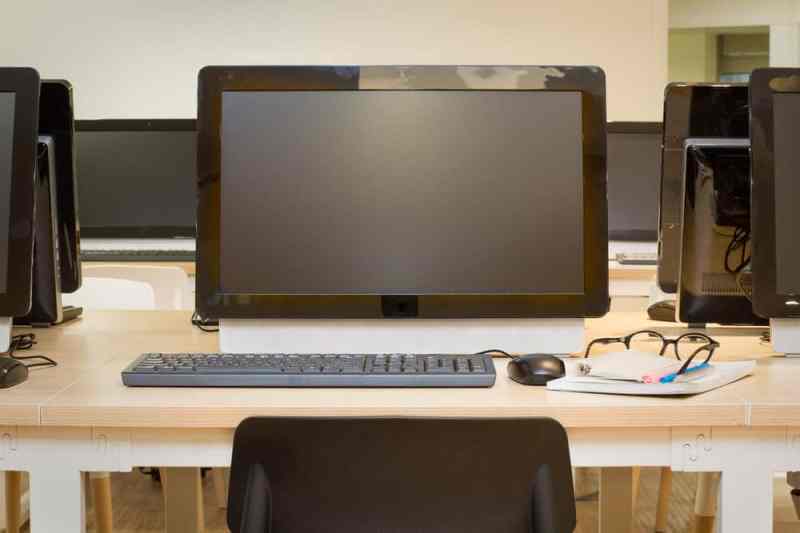
The Complete Overview of the Best Office All-in-One Computer
The evolution of the office all-in-one computer reflects broader shifts in workplace dynamics. Gone are the days when bulkiness and limited functionality defined business computing. Today’s models prioritize integration—combining processing power, storage, and connectivity into a single, sleek unit. This consolidation isn’t just about aesthetics; it’s a response to the growing need for agility in hybrid work environments, where devices must seamlessly transition between office and remote use.
Key to this transformation is the rise of modular components. Modern all-in-one computers often feature upgradeable RAM, expandable storage via SSD slots, and even detachable displays for flexibility. Manufacturers like Dell, HP, and Lenovo have led the charge, offering configurations that cater to everything from entry-level administrative tasks to complex data analysis. The result? A device that adapts to the user’s workflow rather than the other way around.
Historical Background and Evolution
The concept of an all-in-one computer traces back to the early 2000s, when Apple’s iMac popularized the idea of merging a monitor and computer into a single unit. However, these early models lacked the processing power and business-grade features required for professional use. It wasn’t until the late 2010s that advancements in touchscreen technology, Intel’s 8th and 9th Gen processors, and the adoption of Thunderbolt 3 connectivity made all-in-one computers viable for offices.
Today, the best office all-in-one computer is defined by its ability to handle multitasking without compromise. Models now incorporate AI-driven optimizations, such as automatic performance scaling during demanding applications, and support for dual monitors via USB-C or HDMI. The shift toward Windows 11 Pro and enterprise-grade security further solidifies their role in corporate IT infrastructure, where reliability and compliance are non-negotiable.
Core Mechanisms: How It Works
Under the hood, an all-in-one computer operates like a traditional desktop but with critical optimizations for space and efficiency. The central processing unit (CPU), graphics processing unit (GPU), and storage are housed within the monitor’s chassis, connected via high-speed PCIe lanes. This design minimizes cable clutter and reduces latency, as data doesn’t need to travel between separate components. Additionally, many models now include dedicated cooling systems to prevent thermal throttling during prolonged use.
The software layer is equally sophisticated. Modern all-in-one computers leverage Windows Pro features like BitLocker encryption, remote management tools, and virtualization support for running multiple operating systems simultaneously. For collaborative environments, built-in webcams with noise-canceling microphones and 4K video capabilities ensure seamless video conferencing, while touchscreen interfaces allow for intuitive interactions with digital whiteboards and design software.
Key Benefits and Crucial Impact
The best office all-in-one computer isn’t just a tool—it’s a catalyst for operational efficiency. By consolidating hardware into a single, ergonomic unit, businesses reduce physical footprint, lower maintenance costs, and minimize the risk of cable-related issues. This is particularly valuable in shared workspaces, where desk real estate is at a premium. Moreover, the integration of advanced security protocols—such as fingerprint readers and facial recognition—simplifies access control while enhancing data protection.
Beyond logistics, these devices redefine user experience. Features like pen support for note-taking or stylus-compatible displays for architects and engineers eliminate the need for secondary input devices. The result? Faster workflows, fewer distractions, and a more intuitive interaction with digital tools. For industries reliant on visual data—such as finance, healthcare, or creative fields—the ability to manipulate large datasets or high-resolution images directly on the screen is a game-changer.
"The best office all-in-one computer isn’t about replacing a traditional setup—it’s about reimagining what productivity can look like. When you eliminate the friction between hardware and workflow, teams can focus on what matters: innovation, not infrastructure."
— Tech Industry Analyst, 2024
Major Advantages
- Space Efficiency: Eliminates the need for separate towers, freeing up desk space and reducing cable chaos. Ideal for compact offices or hot-desking environments.
- Performance Optimization: Integrated cooling and high-end processors (e.g., Intel Core i7 or AMD Ryzen 7) handle demanding applications like CAD software or virtualization without overheating.
- Security Integration: Built-in TPM 2.0 chips, biometric authentication, and Windows Hello compliance meet enterprise security standards.
- Scalability: Models like the Dell OptiPlex 7090 AIO support RAM upgrades and additional storage, ensuring longevity as business needs evolve.
- Collaboration Readiness: 4K OLED displays, Dolby Vision support, and built-in microphones/cameras facilitate high-quality video conferencing and digital collaboration.
Comparative Analysis
Not all all-in-one computers are suited for every office scenario. Below is a side-by-side comparison of top contenders in 2024, highlighting their strengths and ideal use cases.
| Model | Key Features |
|---|---|
| Dell OptiPlex 7090 AIO | Intel 13th Gen CPU, 4K touchscreen, Thunderbolt 4, enterprise-grade security. Best for IT-managed environments. |
| HP EliteDesk 800 G9 | AMD Ryzen Pro 7040, dual 4K displays, optional pen support, ideal for creative professionals. |
| Lenovo ThinkCentre M720s | Intel Core i5, 24-inch FHD touchscreen, TPM 2.0, optimized for Windows Virtual Desktop. |
| Apple iMac 24-inch (M1 Pro) | Apple Silicon, 6K Retina display, 10-core GPU, best for macOS-centric workflows (e.g., graphic design). |

Future Trends and Innovations
The next generation of office all-in-one computers will be shaped by advancements in AI and edge computing. Expect to see devices with built-in neural processing units (NPUs) for real-time data analysis, reducing reliance on cloud servers. Additionally, the integration of 5G modems will enable seamless connectivity for remote workers, while eye-tracking technology could revolutionize accessibility for users with disabilities.
Sustainability will also play a pivotal role. Manufacturers are increasingly using recycled materials and energy-efficient components, aligning with corporate ESG (Environmental, Social, and Governance) goals. Meanwhile, the rise of "digital twins"—virtual replicas of physical devices—may allow IT departments to simulate hardware performance before deployment, further reducing waste. As these trends mature, the best office all-in-one computer will do more than compute; it will anticipate needs and adapt dynamically.
Conclusion
Selecting the best office all-in-one computer requires balancing immediate needs with long-term scalability. The right device should align with your team’s workflow, budget, and security requirements while future-proofing against evolving technologies. Whether prioritizing raw power for data-intensive tasks or a sleek design for client-facing environments, the market offers solutions that redefine what’s possible in a professional setting.
As workplaces continue to evolve, the all-in-one computer will remain a linchpin of efficiency. By investing in a system that aligns with your operational goals, you’re not just upgrading hardware—you’re laying the foundation for a more connected, productive, and agile workforce.
Comprehensive FAQs
Q: Can the best office all-in-one computer replace a traditional desktop for heavy workloads like video editing?
A: Yes, but with caveats. High-end models like the HP Z2 Tower G9 AIO or Dell Precision 7875 AIO feature dedicated GPUs (e.g., NVIDIA RTX 4000 series) and ample RAM, making them suitable for professional video editing. However, for extreme workloads, a traditional workstation with PCIe expansion slots may still offer better cooling and upgrade flexibility.
Q: Are touchscreen all-in-one computers worth the investment for non-design roles?
A: It depends on the use case. For roles involving frequent data entry, digital signatures, or interactive presentations, a touchscreen can significantly speed up workflows. However, if your team primarily uses keyboard-driven applications (e.g., coding, accounting), a non-touch model may suffice, saving costs without sacrificing performance.
Q: How do I ensure my all-in-one computer meets enterprise security standards?
A: Look for models with TPM 2.0 chips, Windows Hello support, and manageability features like Dell Optimizer or HP Sure View. Additionally, pair the device with enterprise-grade antivirus software and enable BitLocker encryption for full-disk protection. Consult your IT department to verify compliance with industry-specific regulations (e.g., HIPAA, GDPR).
Q: Can I upgrade the storage or RAM in an all-in-one computer after purchase?
A: Most business-class all-in-one computers (e.g., Lenovo ThinkCentre, Dell OptiPlex) allow RAM upgrades, but storage is often soldered to the motherboard. Check the manufacturer’s specifications before buying—some models offer SSD bays or M.2 slots for expandability. Apple’s iMac, for instance, has limited upgrade options compared to Windows-based alternatives.
Q: What’s the best all-in-one computer for small businesses on a tight budget?
A: The Lenovo ThinkCentre M720s or HP EliteDesk 800 G5 are excellent entry points, offering 4K displays, Intel Core i5 processors, and enterprise security for under $800. For even tighter budgets, the Dell OptiPlex 7070 AIO provides solid performance with an Intel i3 and HD touchscreen for around $500.
Q: How does an all-in-one computer handle multiple monitors?
A: Most modern all-in-one computers support dual monitors via Thunderbolt 4 (up to 8K) or HDMI/DisplayPort. For example, the HP EliteDesk 800 G9 can drive two 4K displays simultaneously. However, performance may vary—GPU-intensive tasks (e.g., 3D rendering) may require a dedicated graphics card in a traditional setup.
Leave a Comment
Comments are moderated before appearing. The data you submit is processed according to the Privacy Policy of versiliasolutions.oneagency.co.