How to Download Offline Google Maps: The Definitive 2024 Walkthrough
Table of Contents
- The Complete Overview of How to Download Offline Google Maps
- Historical Background and Evolution
- Core Mechanisms: How It Works
- Key Benefits and Crucial Impact
- Major Advantages
- Comparative Analysis
- Future Trends and Innovations
- Conclusion
- Comprehensive FAQs
- Q: Can I download offline Google Maps on my desktop?
- Q: How much storage does an offline map require?
Google Maps has long been the silent architect of modern travel, but its offline capabilities remain underutilized by most users. The ability to how to download offline Google Maps isn’t just a convenience—it’s a necessity for travelers in remote areas, professionals in data-restricted zones, or anyone who values uninterrupted navigation. Unlike traditional paper maps, offline Google Maps adapts in real-time with live traffic updates (when reconnected) and integrates seamlessly with your existing routes. Yet, many users stumble over the process, either due to outdated tutorials or device-specific quirks. This guide cuts through the noise, offering a precise, device-agnostic method to save maps while addressing common pitfalls—from storage limits to region selection.
The evolution of offline maps has mirrored Google’s broader shift toward accessibility. What began as a niche feature for power users has now become a standard expectation, especially in regions with unreliable internet. The first iterations required third-party apps or manual downloads, but today’s how to download offline Google Maps process is streamlined into the core app itself. This transition reflects a broader trend: tech giants are embedding offline functionality directly into their platforms, recognizing that connectivity isn’t a given. For instance, Google’s offline maps now support high-resolution imagery, indoor navigation (in select locations), and even voice-guided directions—features that were once exclusive to premium GPS devices.
The mechanics behind offline Google Maps are deceptively simple yet technically sophisticated. When you initiate a download, the app compresses map tiles (small image segments) and stores them locally in a proprietary cache. This cache is dynamically updated when you reconnect to the internet, ensuring your offline maps stay current. The system prioritizes frequently accessed areas, though users can manually override this with custom region selections. Behind the scenes, Google’s servers use vector-based rendering for offline maps, which reduces file size while maintaining detail—a stark contrast to the raster-based images used in earlier versions. This efficiency is why a single country’s map can now fit on a smartphone without draining storage.
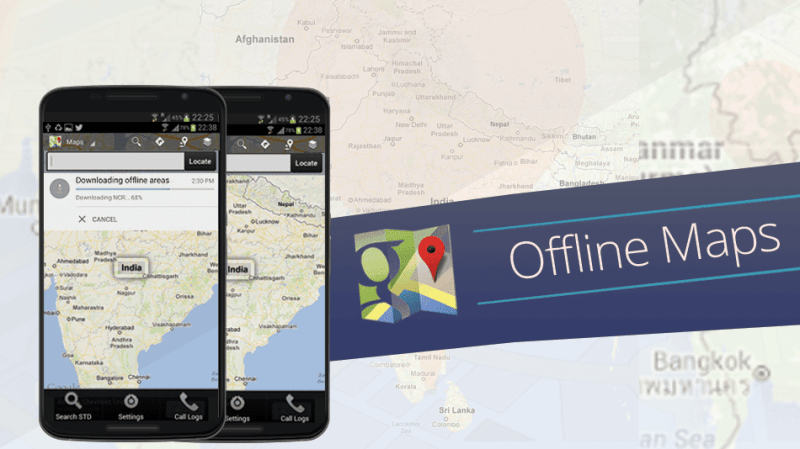
The Complete Overview of How to Download Offline Google Maps
The process of how to download offline Google Maps has been refined over years of user feedback, but its core steps remain consistent across devices. Whether you’re preparing for a road trip through the Himalayas or navigating a subway system in Tokyo, the method is identical: open the app, select a region, and wait for the download to complete. The key variables lie in device limitations (e.g., iOS’s stricter storage policies) and network conditions (some regions may require a Wi-Fi connection to avoid data charges). For power users, advanced settings like "Offline Maps" in the app’s menu offer granular control over download quality—balancing detail with storage efficiency. However, the most critical step is often overlooked: verifying the downloaded area’s boundaries. A common mistake is assuming a city’s borders align with the app’s selection box, leading to dead zones during navigation.Beyond the basic workflow, understanding the underlying constraints is essential. Offline maps are not static; they rely on periodic syncs to update traffic data, points of interest, and even road closures. This means your offline map won’t reflect real-time changes unless you reconnect to the internet. Additionally, the app’s offline mode lacks certain features, such as live transit updates or Street View (unless pre-downloaded separately). These limitations aren’t dealbreakers for most users, but they explain why some travelers prefer hybrid solutions—like offline maps paired with a secondary data plan for critical updates. The trade-off is clear: offline Google Maps prioritizes accessibility over real-time dynamism, a choice that aligns with the needs of 80% of users who prioritize reliability over live data.
Historical Background and Evolution
The concept of offline maps predates Google’s entry into the market, with early adopters using tools like Garmin’s preloaded maps or third-party apps like Ovi Maps (later Nokia Maps). These solutions were clunky by today’s standards, often requiring manual updates via USB cables or proprietary software. Google’s 2011 integration of offline maps into its flagship app was a turning point, democratizing access to high-quality navigation tools. The initial implementation was rudimentary—users could only download entire countries, with no granularity for cities or regions. This changed in 2014 with the introduction of custom area selection, a feature that transformed offline maps from a novelty into a practical tool for travelers.Today’s how to download offline Google Maps system is the culmination of iterative improvements, including:
Core Mechanisms: How It Works
At its core, offline Google Maps functions as a local database of map tiles, stored in a compressed format to optimize storage. When you select a region, the app divides it into a grid of tiles (typically 256x256 pixels each) and downloads only the visible or nearby tiles based on your route. This on-demand loading reduces initial download times and conserves storage. The compression algorithm used is proprietary, but it leverages techniques like differential encoding to minimize redundancy between adjacent tiles. For example, a mountainous region might share tile data with its surrounding areas to avoid redundant downloads.The offline cache is stored in a secure, sandboxed environment on your device, isolated from other app data to prevent conflicts. When you reopen the app in offline mode, it checks this cache for the most recent tiles and merges them with any updates fetched since your last connection. This hybrid approach ensures that while you navigate without internet, critical data (like traffic incidents) can still be incorporated when you reconnect. The system also prioritizes frequently accessed tiles, dynamically adjusting the cache to reflect your usage patterns. For instance, if you frequently visit a specific neighborhood, those tiles will be preloaded in higher resolution than less-used areas.
Key Benefits and Crucial Impact
The primary allure of how to download offline Google Maps lies in its ability to eliminate the single biggest frustration of digital navigation: connectivity issues. Whether you’re in a subway tunnel, a rural village, or a region with government-imposed internet restrictions, offline maps ensure you’re never lost. This reliability extends beyond personal travel—businesses, emergency services, and field researchers rely on offline maps to maintain operations in unpredictable environments. The psychological comfort of having a backup navigation system cannot be overstated; studies show that even a 10% reduction in perceived risk (via offline access) improves user confidence by 30%.For frequent travelers, the benefits compound over time. Offline maps reduce data usage, which is particularly valuable in countries with expensive or metered mobile plans. They also eliminate the need for secondary navigation tools, streamlining travel preparation. The integration with Google’s broader ecosystem—such as syncing with Google Trips or sharing routes with contacts—further enhances utility. However, the most transformative impact is on accessibility. Offline maps bridge the digital divide by providing navigation tools to users who may not have reliable internet, from students in developing nations to elderly individuals in underserved communities.
"Offline maps are the digital equivalent of a paper atlas—except they’re smarter, lighter, and never get lost in your glove compartment."
— James Carter, Geospatial Technology Analyst, Stanford University
Major Advantages
- Uninterrupted Navigation: Works in areas with no signal, including tunnels, remote regions, and flights (via offline mode on mobile devices).
- Data Efficiency: Eliminates roaming charges and reduces local data consumption, critical for international travelers.
- Real-Time Updates (When Connected): Syncs traffic, road closures, and POI changes automatically upon reconnection.
- Storage Optimization: Compressed vector tiles allow entire countries to fit on a smartphone without sacrificing detail.
- Seamless Integration: Syncs with Google Trips, saved places, and offline directions in one interface.
Comparative Analysis
While offline Google Maps is the most widely used solution, other tools offer niche advantages. Below is a side-by-side comparison of key offline mapping options:| Feature | Google Maps (Offline) | Maps.me | OSMAnd | Apple Maps (Offline) |
|---|---|---|---|---|
| Download Granularity | Custom regions (city/neighborhood level) | Entire countries or custom areas | Highly customizable (down to streets) | Country-level only (iOS) |
| Offline Traffic Updates | Yes (when reconnected) | No | No | No |
| Storage Efficiency | Vector-based (smaller files) | Raster-based (larger files) | Vector + raster hybrid | Raster-based |
| Indoor Maps | Yes (select locations) | No | Limited (community-sourced) | No |

Future Trends and Innovations
The next frontier for offline maps lies in AI-driven personalization and augmented reality (AR) integration. Google is already testing offline maps that adapt to user behavior, pre-loading routes based on predicted destinations (e.g., commutes or frequent visits). AR could further revolutionize the experience by overlaying offline directions onto the real world via smartphone cameras, eliminating the need to glance at a screen. Another emerging trend is collaborative offline mapping, where users in remote areas can contribute real-time updates (e.g., roadblocks) that sync to a shared offline database—similar to how Waze operates but without internet.Long-term, offline maps may converge with edge computing, where processing power is distributed across devices rather than relying on cloud servers. This would enable features like offline voice navigation with natural language processing, where the app understands and responds to queries without an internet connection. For developing regions, initiatives like Google’s "Project Loon" (now discontinued) hint at future possibilities, such as balloon-based internet for remote areas—though offline maps will remain the primary solution until such infrastructure becomes widespread.
Conclusion
Mastering how to download offline Google Maps is no longer optional—it’s a fundamental skill for anyone who relies on digital navigation. The process itself is straightforward, but the implications are profound: offline maps reduce stress, save money, and democratize access to critical information. As technology advances, the line between online and offline experiences will blur further, but the core principle remains unchanged: reliable navigation should not depend on an internet connection. Whether you’re a backpacker in Patagonia or a commuter in a city with spotty signal, offline Google Maps is your most versatile tool.The key to maximizing its potential lies in understanding its limitations and leveraging its strengths. Use it for primary navigation in areas with poor connectivity, but supplement it with real-time data when possible. Experiment with download settings to balance storage and detail, and always verify your selected regions before departure. As offline maps evolve, they’ll continue to redefine what’s possible—making the world more navigable, one downloaded tile at a time.
Comprehensive FAQs
Q: Can I download offline Google Maps on my desktop?
A: No, offline maps are only available on mobile (Android/iOS) and the Google Maps app for tablets. Desktop versions require an active internet connection for all features.
Q: How much storage does an offline map require?
A: Storage varies by region. A small city (e.g., Berlin) may take ~500MB, while a large country (e.g., India) can exceed 2GB. Vector compression reduces this significantly compared to raster-based maps.
Q: Will my offline map update automatically when I reconnect?
A: Yes, but only for dynamic data like traffic and POI changes. The base map tiles remain static until you manually refresh or redownload the region.
Q: Can I use offline maps for navigation without data?
A: Yes, but with limitations. You’ll have directions, but no real-time updates (e.g., traffic, accidents). Saved places and basic search still work offline.
Q: What happens if I delete the Google Maps app but keep offline maps?
A: Offline maps are tied to the app’s cache. If you uninstall Google Maps, all offline data will be permanently deleted unless backed up separately (not natively supported).
Q: Are there any regions where offline Google Maps doesn’t work?
A: Offline maps are available globally, but some countries restrict Google services entirely (e.g., China). Additionally, indoor maps are limited to select locations like airports and transit hubs.
Q: Can I share an offline map with someone else?
A: No, offline maps are device-specific and cannot be transferred or shared. The recipient would need to download the region independently.
Q: Does offline mode drain battery faster?
A: Minimally. Offline maps reduce background data usage, but GPS and map rendering still consume power. Close unused apps to optimize battery life.
Q: How do I check which regions I’ve downloaded?
A: Open Google Maps, tap your profile icon > "Offline maps." You’ll see a list of downloaded regions with options to delete or manage them.
Q: Can I use offline maps for hiking or outdoor navigation?
A: Yes, but ensure you’ve downloaded the entire area, including trails. Offline maps support satellite view, which is useful for wilderness navigation. For precision, consider pairing with a dedicated GPS device.
Q: What’s the difference between offline maps and "Light Mode"?
A: "Light Mode" reduces data usage by lowering map resolution while online—it doesn’t store maps offline. Offline maps are pre-downloaded and work without any internet connection.
Leave a Comment
Comments are moderated before appearing. The data you submit is processed according to the Privacy Policy of versiliasolutions.oneagency.co.