How to Use Kahoot Login PINs for Seamless Gameplay
Table of Contents
- The Complete Overview of Kahoot Login PINs
- Historical Background and Evolution
- Core Mechanisms: How It Works
- Key Benefits and Crucial Impact
- Major Advantages
- Comparative Analysis
- Future Trends and Innovations
- Conclusion
- Comprehensive FAQs
- Q: Can I reuse a Kahoot login PIN for multiple sessions?
- Q: How do I find my Kahoot login PIN if I’m the host?
- Q: What should I do if a participant’s Kahoot login PIN isn’t working?
- Q: Can I disable the Kahoot login PIN for my session?
- Q: Are there any security risks with sharing a Kahoot login PIN?
- Q: How long can I set a Kahoot login PIN to expire?
- Q: Will the Kahoot login PIN work on mobile and desktop?
- Q: Can I track who joined my Kahoot session using the PIN?
- Q: What happens if I lose my Kahoot login PIN?
- Q: Are there any alternatives to using a Kahoot login PIN?
Kahoot’s login PIN system is the unsung hero of its platform—an often-overlooked feature that bridges the gap between seamless access and secure participation. Without it, live quizzes, training sessions, and classroom games would collapse into chaos, with players struggling to join at the right moment or facing cryptic error messages. Yet, despite its critical role, many users—from educators to corporate trainers—treat it as a mere afterthought, assuming it’s just a random string of numbers. The reality is far more nuanced: the Kahoot login PIN isn’t just a gatekeeper; it’s a dynamic tool that adapts to different use cases, from large-scale webinars to intimate team-building exercises.
The confusion begins the moment a host shares a PIN. Is it a one-time code? Does it expire? Can multiple devices use it simultaneously? These questions reveal a deeper truth: Kahoot’s design prioritizes flexibility over rigidity, allowing hosts to control participation without sacrificing spontaneity. For instance, a university professor might use a Kahoot PIN code to let students join a live poll mid-lecture, while a corporate L&D manager could restrict access to a training module until employees arrive at a designated time. The system’s adaptability makes it indispensable, yet its mechanics remain shrouded in ambiguity for those who haven’t mastered its quirks.
What separates a smooth Kahoot session from a logistical nightmare often boils down to understanding how the login PIN functions—not just as a static identifier, but as a time-sensitive, context-aware component. Whether you’re troubleshooting a PIN that won’t work, optimizing for large audiences, or exploring advanced features like PIN expiration settings, the key lies in recognizing that this seemingly simple tool is a finely tuned mechanism. Ignore it at your peril; leverage it, and you unlock a world where engagement isn’t just possible, but effortless.

The Complete Overview of Kahoot Login PINs
The Kahoot login PIN serves as the digital key to any live game or session, but its role extends beyond mere access control. At its core, it’s a six-digit alphanumeric code (e.g., "ABC123") generated by the host’s platform, which participants enter to join. Unlike static passwords, these codes are dynamic—they can be reused, expired, or even customized to fit specific needs. For example, a host might set a Kahoot PIN code to auto-expire after 10 minutes to prevent latecomers from disrupting a timed quiz, or they might disable the PIN entirely for open-ended brainstorming sessions where spontaneity is key.
What makes the system particularly powerful is its integration with Kahoot’s broader ecosystem. The PIN isn’t just a standalone feature; it syncs with real-time analytics, participant tracking, and even monetization tools (like Kahoot!’s premium plans for schools or businesses). A single PIN can track hundreds of responses, assign points to teams, or even trigger automated follow-up emails—all while maintaining a user-friendly interface. This duality—simplicity for participants, depth for hosts—explains why Kahoot remains a staple in both educational and corporate settings, despite the rise of alternatives like Quizizz or Blooket.
Historical Background and Evolution
The concept of a Kahoot login PIN emerged as Kahoot! transitioned from a niche gamification experiment to a mainstream tool in 2013. Early versions of the platform relied on simple URL invites, but as usage scaled—especially in classrooms with 30+ students—hosts needed a way to manage access without sharing sensitive links. The PIN system was born as a solution: a quick, shareable code that could be displayed on a projector, printed on handouts, or even verbally announced, reducing the risk of unauthorized access or link spoofing.
Over time, Kahoot refined the feature to address growing pains. In 2016, the platform introduced PIN expiration settings**, allowing hosts to enforce time limits—a critical update for high-stakes assessments where fairness mattered. By 2019, Kahoot had expanded the system to support "private PINs" for corporate clients, where sensitive training content required restricted access. Today, the feature has evolved into a modular toolkit, with options to customize PIN visibility, enable/disable guest access, and even integrate with single sign-on (SSO) systems for enterprises. This evolution reflects Kahoot’s broader strategy: to balance ease of use with robust control, ensuring that whether you’re a teacher or a CEO, the login PIN adapts to your workflow.
Core Mechanisms: How It Works
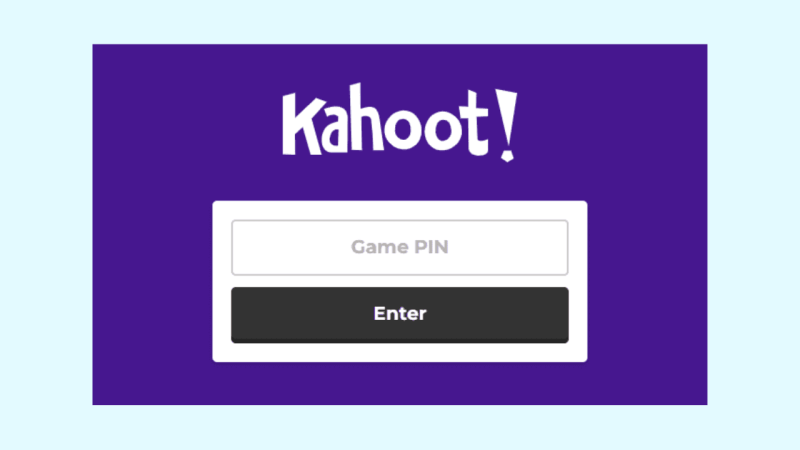
The technical backbone of the Kahoot login PIN lies in its generation and validation process. When a host creates a new game or session, Kahoot’s backend assigns a unique PIN using a combination of timestamp-based hashing and random character selection. This ensures that even if two sessions run simultaneously, their PINs remain distinct. Participants then enter this code on Kahoot’s mobile or desktop app, which triggers a handshake between their device and the host’s session server. If the PIN matches and the session is active, the participant is admitted; if not, they’re prompted to check for errors or contact the host.
Under the hood, Kahoot’s system also handles edge cases with precision. For instance, if a participant enters a PIN that’s expired, the platform doesn’t just reject them—it provides a clear message about the session’s status, along with options to request a new PIN or join a different game. This attention to detail minimizes frustration, a key factor in Kahoot’s widespread adoption. Additionally, the PIN system is designed to be resilient: even if a network issue interrupts a participant’s connection, Kahoot’s servers retain their session state, allowing them to rejoin using the same Kahoot PIN code once connectivity is restored.
Key Benefits and Crucial Impact
The Kahoot login PIN isn’t just a technical feature—it’s a force multiplier for engagement. By giving hosts granular control over participation, it transforms passive audiences into active contributors. Consider a virtual team-building exercise: without a PIN, late arrivals could skew results or dominate discussions. With one, the host can lock the session at a predefined time, ensuring fairness. Similarly, in educational settings, PINs allow teachers to segment students into smaller groups for differentiated learning, all while maintaining a single overarching quiz. The impact isn’t just operational; it’s psychological. Participants feel a sense of belonging when they’re part of a structured, timed experience, and the PIN system reinforces that structure.
Beyond engagement, the login PIN also addresses critical logistical challenges. For organizations hosting large-scale events—like conferences or webinars—managing thousands of attendees via a single link would be impractical. Instead, Kahoot’s PIN system enables hosts to generate multiple codes, each corresponding to a specific session or time slot. This modularity reduces server load, prevents overcrowding, and allows for A/B testing of content. Even in one-on-one coaching scenarios, the ability to toggle PIN visibility (e.g., hiding it until the client arrives) adds a layer of professionalism and security.
"The Kahoot login PIN is the difference between a chaotic free-for-all and a polished, high-impact experience. It’s not just about access—it’s about setting the tone for the entire session."
— Dr. Elena Vasquez, Educational Technology Specialist, Stanford Graduate School of Education
Major Advantages
- Access Control: Hosts can restrict participation to authorized users, preventing bots or uninvited guests from skewing results.
- Time Management: PIN expiration settings ensure sessions start and end on schedule, ideal for timed assessments or live polls.
- Scalability: Supports thousands of simultaneous participants by distributing load across multiple PINs or sessions.
- Data Security: PINs are transient and not stored long-term, reducing the risk of exposure compared to permanent links.
- User Experience: Simplifies onboarding for participants, who only need to enter a short code rather than navigate complex login flows.
Comparative Analysis
While Kahoot’s login PIN system is industry-leading, it’s not without competitors. Below is a side-by-side comparison of how Kahoot stacks up against alternatives like Quizizz, Blooket, and Mentimeter.
| Feature | Kahoot | Quizizz | Blooket | Mentimeter |
|---|---|---|---|---|
| PIN-Based Access | Yes (6-digit alphanumeric, customizable expiration) | No (uses join codes, but no expiration) | No (relies on game IDs, no PINs) | Yes (numeric PINs, but limited to live sessions) |
| Guest Access Control | High (disable PIN, set time limits, or require accounts) | Low (anyone with the link can join) | Medium (game IDs can be shared publicly) | Medium (PINs can be shared but offer no expiration) |
| Scalability | Excellent (supports 10,000+ participants with multiple PINs) | Good (but no built-in session limits) | Fair (game IDs can be overwhelmed in large groups) | Good (but PINs don’t scale beyond ~500 users) |
| Integration with LMS | Yes (Google Classroom, Canvas, Moodle) | Yes (limited to basic LMS sync) | No (standalone platform) | Partial (via API for enterprises) |
Future Trends and Innovations
The next generation of Kahoot login PINs is poised to evolve beyond static codes into dynamic, AI-assisted access tokens. Imagine a system where PINs aren’t just numbers but context-aware prompts—e.g., a biometric check ("Scan your palm to join") or a behavioral verification ("Answer this pre-question to prove you’re human"). Kahoot has already hinted at such innovations through its "Kahoot!+ for Schools" beta, where PINs could soon integrate with student ID databases or single sign-on (SSO) systems like Microsoft Entra ID. This shift would address growing concerns about cheating in online assessments while maintaining accessibility.
Another frontier is the rise of "smart PINs," which adapt in real-time based on participant behavior. For example, a host could set a PIN to auto-expire if too many incorrect answers are submitted, flagging potential disruptions. Conversely, in collaborative settings, PINs might dynamically extend for teams that are still active but behind schedule. As Kahoot expands into metaverse and VR learning environments, these PINs could morph into spatial access controls—think "Join this Kahoot by stepping into the designated VR zone." The future isn’t just about better codes; it’s about codes that understand the intent behind them.
Conclusion
The Kahoot login PIN is far more than a technicality—it’s the linchpin of interactive experiences that balance control with creativity. Whether you’re a teacher ensuring a fair exam, a trainer managing a hybrid workshop, or a marketer gauging audience reactions, the PIN system gives you the tools to shape participation without sacrificing spontaneity. Its evolution reflects Kahoot’s broader mission: to make engagement effortless, even as the tools behind it grow more sophisticated. The key takeaway? Don’t treat the PIN as an afterthought. Treat it as the foundation upon which every great Kahoot session is built.
As the platform continues to innovate, one thing is certain: the Kahoot PIN code won’t disappear—it will simply become smarter, more adaptive, and more integral to how we learn, teach, and connect. The question isn’t whether you’ll need to use it; it’s how you’ll leverage it to transform passive observers into active participants.
Comprehensive FAQs
Q: Can I reuse a Kahoot login PIN for multiple sessions?
A: No, each Kahoot login PIN is tied to a single session. Once the session ends or the PIN expires, it cannot be reused. However, you can generate a new PIN for subsequent sessions with the same name.
Q: How do I find my Kahoot login PIN if I’m the host?
A: When you create a new game or session, the Kahoot PIN code is displayed on your screen under the "Join as player" section. If you don’t see it, check your email for a confirmation message or regenerate the PIN in the session settings.
Q: What should I do if a participant’s Kahoot login PIN isn’t working?
A: First, verify that the PIN hasn’t expired (check your session settings). If it’s still active, ask the participant to:
- Ensure they’re using the correct app (Kahoot! or Kahoot!+).
- Check their internet connection.
- Clear their browser cache (if using a desktop).
- Try entering the PIN again slowly, as typos are common.
Q: Can I disable the Kahoot login PIN for my session?
A: Yes, during session creation, you can toggle off the PIN requirement under "Game options." However, this makes the session publicly joinable via a direct link, which may not be ideal for controlled environments like exams.
Q: Are there any security risks with sharing a Kahoot login PIN?
A: Sharing a Kahoot PIN code publicly (e.g., on social media) doesn’t inherently expose your session to hacking, but it can lead to:
- Unintended participants joining and disrupting the flow.
- Cheating in assessment scenarios (e.g., friends submitting answers for a student).
- Server overload if too many users join at once.
Q: How long can I set a Kahoot login PIN to expire?
A: You can configure the PIN to expire anywhere from 1 minute to 24 hours after the session starts. This is adjustable in the "Game options" menu before launching the session.
Q: Will the Kahoot login PIN work on mobile and desktop?
A: Yes, the same Kahoot login PIN functions across all devices. Participants can join via the Kahoot! app (iOS/Android), the web app, or even smart TVs if using Kahoot!+ for Schools.
Q: Can I track who joined my Kahoot session using the PIN?
A: Yes, after the session ends, you can view participant names, device types, and response times in the "Results" tab. However, anonymous participants (those who didn’t sign in) will appear as "Guest [Device Type]."
Q: What happens if I lose my Kahoot login PIN?
A: If you’re the host, you can regenerate the PIN in the session settings. If you’re a participant, you’ll need to contact the host for the correct code or wait for a new PIN to be issued.
Q: Are there any alternatives to using a Kahoot login PIN?
A: Yes, you can:
- Require participants to sign in with a Kahoot! account (useful for tracking).
- Use a direct link (if PINs are disabled).
- Generate a QR code for the PIN (available in Kahoot!+).
Leave a Comment
Comments are moderated before appearing. The data you submit is processed according to the Privacy Policy of versiliasolutions.oneagency.co.